Zerocam
Advertisement
Apps Overview
Zerocam APK is a minimalist camera app designed for real, natural photography without heavy AI processing. It delivers clean, distortion-free images with accurate colors, balanced tones, and professional-grade RAW output.
Table of Contents
Zerocam APK: The Camera App Built for Real, Natural Photography
Smartphone cameras have become incredibly powerful, yet many photos today feel strangely artificial. Heavy AI processing often over-sharpens details, smooths textures, and exaggerates colors, creating images that look polished but unrealistic. Instead of capturing reality, many camera apps end up creating a digital interpretation of it.
Zerocam APK takes a completely different approach. It is designed for people who want authentic photography without artificial enhancements. By removing aggressive AI processing and focusing on clean image quality, Zerocam delivers photos that look natural, balanced, and true to life.
This philosophy has made the app increasingly popular among photography enthusiasts searching for a simpler and more realistic mobile camera experience.
What is Zerocam APK?
Zerocam APK is a minimalist camera application that prioritizes realism, simplicity, and hardware optimization. Unlike traditional camera apps that rely on heavy software enhancements, Zerocam focuses on capturing images exactly as they appear in real life.
The app uses a refined image pipeline that avoids fake HDR effects, artificial beauty filters, and excessive sharpening. This results in photos with accurate colors, natural contrast, and authentic textures.
Zerocam is built for intentional photography. Instead of overwhelming users with complex settings, it encourages them to focus on composition, lighting, and timing — the core elements of great photography.
Why Zerocam APK Stands Out From Other Camera Apps
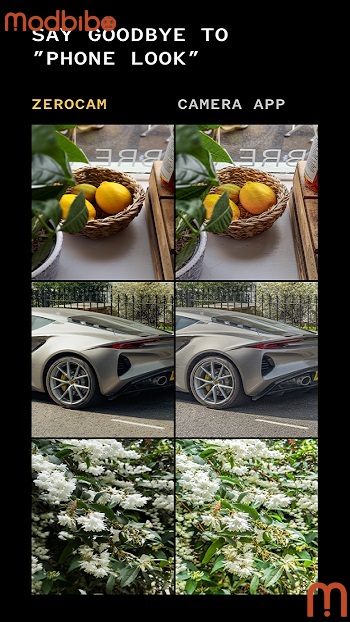
A Natural, Distortion-Free Look
Most smartphone camera apps rely on computational photography, where artificial intelligence processes images heavily to improve clarity and brightness. While this can make photos appear vibrant, it often introduces unnatural artifacts such as glowing edges, overly smooth skin, and exaggerated colors.
Advertisement
Zerocam removes this digital overprocessing. The result is:
-
Realistic skin tones
-
Balanced exposure
-
True-to-life color accuracy
-
No artificial sharpening or halos
Photos captured with Zerocam feel closer to traditional camera photography than typical smartphone images.
Pure Simplicity and Minimal Interface
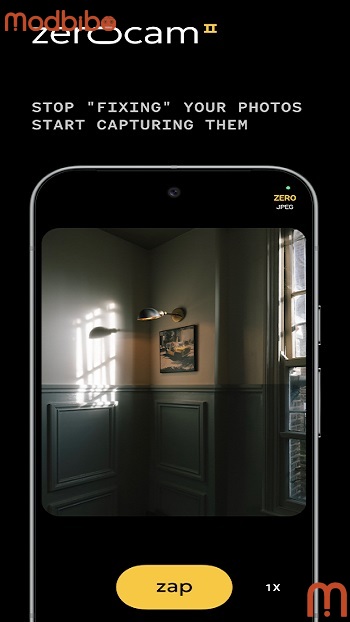
One of the biggest advantages of Zerocam is its distraction-free design. Many camera apps include numerous menus, sliders, and settings that can interrupt the shooting process.
Zerocam simplifies everything. There are no complicated controls to adjust. Users can simply open the app and start capturing moments instantly.
This simplicity helps photographers stay focused on creativity instead of technical settings.
Full Hardware Potential
Zerocam is optimized to make the most of your smartphone’s camera hardware. Instead of relying heavily on software manipulation, the app prioritizes sensor performance and lens quality.
This results in:
-
Cleaner image details
-
Improved dynamic range
-
Higher-quality RAW files
-
More consistent image output
For users who enjoy editing photos later, this hardware-focused approach provides much greater flexibility.
Main Features of Zerocam APK Latest Version
The Zerocam APK Latest Version introduces several new features that enhance both usability and creative possibilities.
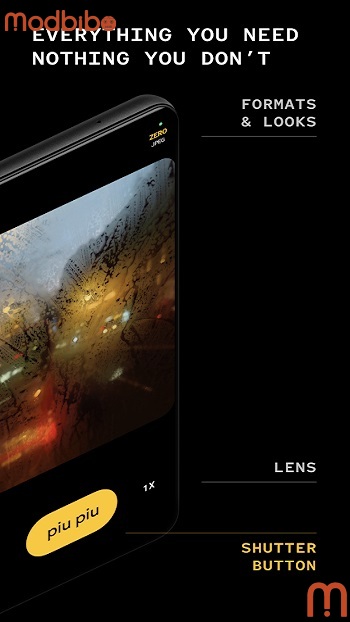
Native Lens Support
The latest update includes native support for multiple smartphone lenses. Users can easily switch between wide, ultra-wide, and telephoto lenses, depending on their device compatibility.
This feature expands creative flexibility, allowing photographers to capture different perspectives without leaving the app.
Zero Looks Natural Filters
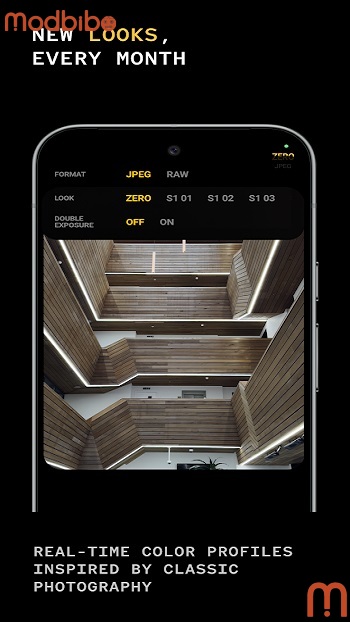
Zerocam introduces “Zero Looks,” which are subtle, film-inspired color profiles designed to enhance images without making them look artificial.
Unlike traditional filters that dramatically alter colors and contrast, these profiles provide gentle tonal adjustments while preserving natural realism.
They are updated regularly and applied in real time, making them suitable for both casual and professional photography.
Multi-Exposure Mode
This feature allows users to merge two frames into a single image instantly. Multi-exposure photography is often used to create artistic effects such as motion blur, light trails, or layered compositions.
Zerocam simplifies this process, making it accessible without requiring advanced editing skills.
Foldable Device Optimization
With the rise of foldable smartphones, Zerocam has redesigned its interface to adapt seamlessly to different device modes.
Whether the phone is fully opened, partially folded, or closed, the app maintains a smooth and intuitive layout.
This ensures a consistent photography experience across modern devices.
Pro-Grade RAW and JPG Output
The rebuilt image pipeline in Zerocam delivers cleaner tones and more reliable RAW files.
This is particularly useful for professional photographers who want greater control during post-processing. RAW files from Zerocam retain more detail and dynamic range, allowing for precise adjustments in editing software.
Advertisement
Zerocam Pro and Premium Features
Many users search for Zerocam Pro or Zerocam APK Premium Unlocked to access additional features beyond the standard version.
Premium features often include exclusive color profiles, enhanced image processing capabilities, and early access to experimental updates. These tools are especially valuable for advanced photographers seeking more creative control.
Understanding Zerocam Mod APK and Related Searches
Keywords like Zerocam Mod APK and Zerocam APK Unlimited Money frequently appear in online searches. These modified versions claim to unlock premium features without payment.
However, using modded apps can pose risks, including security vulnerabilities, malware exposure, and unstable performance. Official versions remain the safest and most reliable option for users.
Who Should Use Zerocam APK?
Zerocam is designed for a specific type of user. It is ideal for:
-
Photography enthusiasts who prefer realism
-
Creators who dislike heavy AI filters
-
Minimalist users seeking a simple camera interface
-
Professionals who need high-quality RAW files
-
Street photographers who value natural lighting and authenticity
It may not appeal to users who prefer heavily processed images with dramatic effects.
The Philosophy Behind Zerocam
At its core, Zerocam is more than just a camera app. It represents a philosophy of intentional photography.
Instead of relying on artificial intelligence to enhance every detail, it encourages users to observe their surroundings carefully and capture moments as they truly appear.
This approach aligns with traditional photography principles, where creativity comes from vision and timing rather than automated processing.
Final Thoughts on Zerocam APK
Zerocam APK stands out as a unique camera app in a world dominated by AI-enhanced photography. Its focus on natural image quality, minimalist design, and hardware optimization makes it an excellent choice for users who value authenticity.
With features like native lens support, subtle color profiles, multi-exposure mode, and professional RAW output, the latest version provides a powerful yet simple photography experience.
For anyone looking to move away from overly processed smartphone photos and return to genuine, realistic imagery, Zerocam offers a refreshing and thoughtful alternative.